
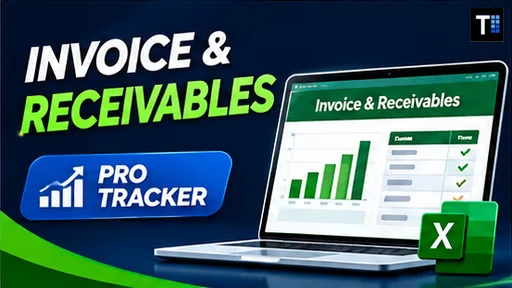
Know what you’re owed.
Manage invoices, partial payments and outstanding customer balances in one editable Excel workbook.
$9.99 USD · one-time purchase
Buy on Gumroad · $9.99 USD →Preview the workbook ↓Checkout and digital delivery through Gumroad. Taxes or currency conversion may apply. Microsoft Excel desktop recommended.
What the workbook includes
Invoice register
Record up to 200 invoices with tax and discount calculations.
Payment register
Track up to 400 receipts, including multiple payments against invoices.
Receivables dashboard
Review outstanding amounts, overdue balances and aging buckets.
Data checks
Identify duplicate invoice and receipt entries and review data issues.
Preview the four worksheets
Explore selected fields and headings from the actual workbook before buying. These simplified HTML excerpts are not Excel screenshots or a live calculator; the purchased workbook includes the complete formulas and editable registers.
01 · Start Here
Configure your business, currency and reporting date.
| Setting | Default entry |
|---|---|
| Business name | Your Business |
| Currency (one only) | USD |
| As-of date | Current date (TODAY formula) |
02 · Dashboard
Selected metrics and aging categories from the workbook.
| Metric | Aging bucket |
|---|---|
| Total invoiced | Current |
| Receipts applied | 1–30 days |
| Open receivables | 31–60 days |
03 · Invoices
Up to 200 invoice entries. Selected columns; calculated totals and balances.
| Invoice ID | Invoice date | Customer | Due date | Invoice total | Received | Outstanding |
|---|---|---|---|---|---|---|
04 · Payments
Up to 400 payment entries, including multiple receipts per invoice.
| Receipt ID | Invoice ID | Payment date | Amount | Method | Reference / notes | Data check |
|---|---|---|---|---|---|---|
Product illustration
Free invoice template vs Pro
| Feature | Free invoice | Tracker Pro |
|---|---|---|
| Main purpose | Create individual invoices | Manage invoice and payment records |
| Invoice workflow | Save a copy per invoice | Register up to 200 invoices |
| Payments | Amount paid and balance due | Up to 400 receipts, including partial payments |
| Receivables aging | Not listed | Dashboard and aging buckets |
| Price | Free download | $9.99 USD once |
How to get started
- Purchase and download the XLSX file from Gumroad.
- Open the workbook in Microsoft Excel desktop and read its instructions.
- Set your business name and currency, then enter invoices and payments.
- Review the dashboard and correct any data issues before relying on the totals.
File details and licence
- Format
- Editable Excel (.xlsx)
- File size
- 69.0 KB
- Worksheets
- 4
- Version
- 1.0
- Macros
- No VBA macros included
- Compatibility
- Microsoft Excel desktop recommended
- Licence
- Personal / internal business use
- Delivery
- Digital download via Gumroad
- One editable, macro-free XLSX workbook, version 1.0.
- Microsoft Excel desktop recommended. Compatibility with other spreadsheet apps is not guaranteed.
- Personal or internal business use only; resale and redistribution are not permitted.
- This template is a recordkeeping aid, not accounting or tax advice.
Frequently asked questions
Is this a subscription?
No. The listed price is a one-time purchase.
Can I record partial payments?
Yes. Multiple payment records can be associated with an invoice.
Where do I get support?
Email hello@techhowgrid.com for download or workbook issues. Review the applicable purchase and refund terms on Gumroad before paying.
Do you offer a free invoice template?
Yes. Try the free Excel invoice template if you only need a basic invoice.
Ready to organize your receivables?
Invoice & Receivables Tracker Pro · XLSX · One-time purchase
View product on Gumroad · $9.99 USD →For more spreadsheet tutorials and free alternatives, browse our Excel guides, tools and templates.