
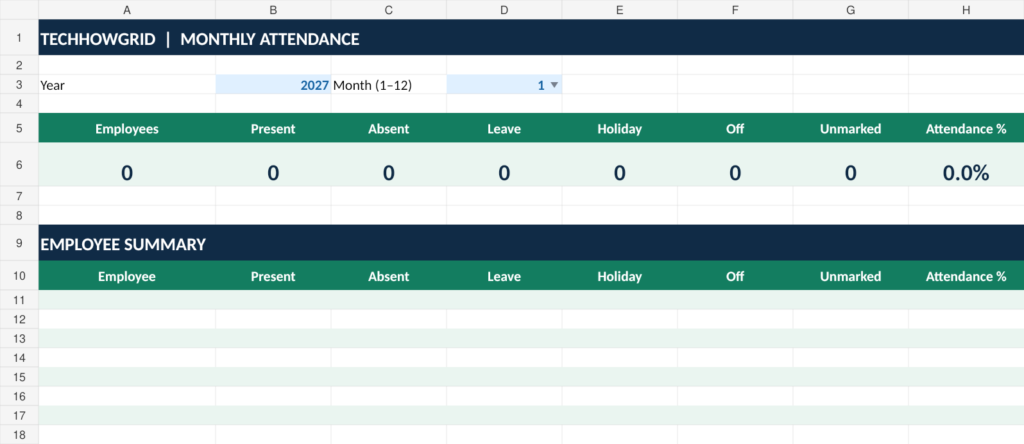
Track employee attendance with TechHowGrid’s free monthly Excel attendance sheet. Choose a month and year, enter employee details and mark daily attendance using dropdowns. The workbook automatically calculates attendance totals and percentages.
What is included in the attendance template?
Three worksheets: Dashboard, Attendance and Instructions. The template supports 50 employees, employee IDs and departments, automatic monthly dates, five attendance status options and employee-wise summary totals.
How to use the monthly attendance sheet
Choose the year and month on the Dashboard before entering records. Add employee names and mark valid dates using P for Present, A for Absent, L for Leave, H for Holiday and O for Day off. Leave unmarked days blank. The dashboard updates automatically.
How attendance percentage is calculated
Attendance percentage is calculated as present days divided by present plus absent days. Leave, holidays, days off and unmarked days are excluded. When no present or absent days are recorded, the percentage displays zero.
Save your monthly attendance history
The template tracks one month at a time. Save a separate copy for each month before changing the date settings because existing entries do not automatically clear or move. The default month is January 2027. For payroll, adjust the attendance policy to your organisation’s requirements.
More free Excel resources
Explore our Free Tools & Downloads, including the 2027 Excel Calendar and Excel Expense Tracker.